

package.json:
package.json
npm install locally and commit package-lock.json with package.json.
The workflows below use the lockfile for
npm caching
and reproducible dependency installation.
Create a file called .github/workflows/ci.yml in your repository with the
following contents:
ci.yml
Authentication
To run any commands, you must authenticate with Momentic. Add theMOMENTIC_API_KEY environment variable to your GitHub Actions workflow.
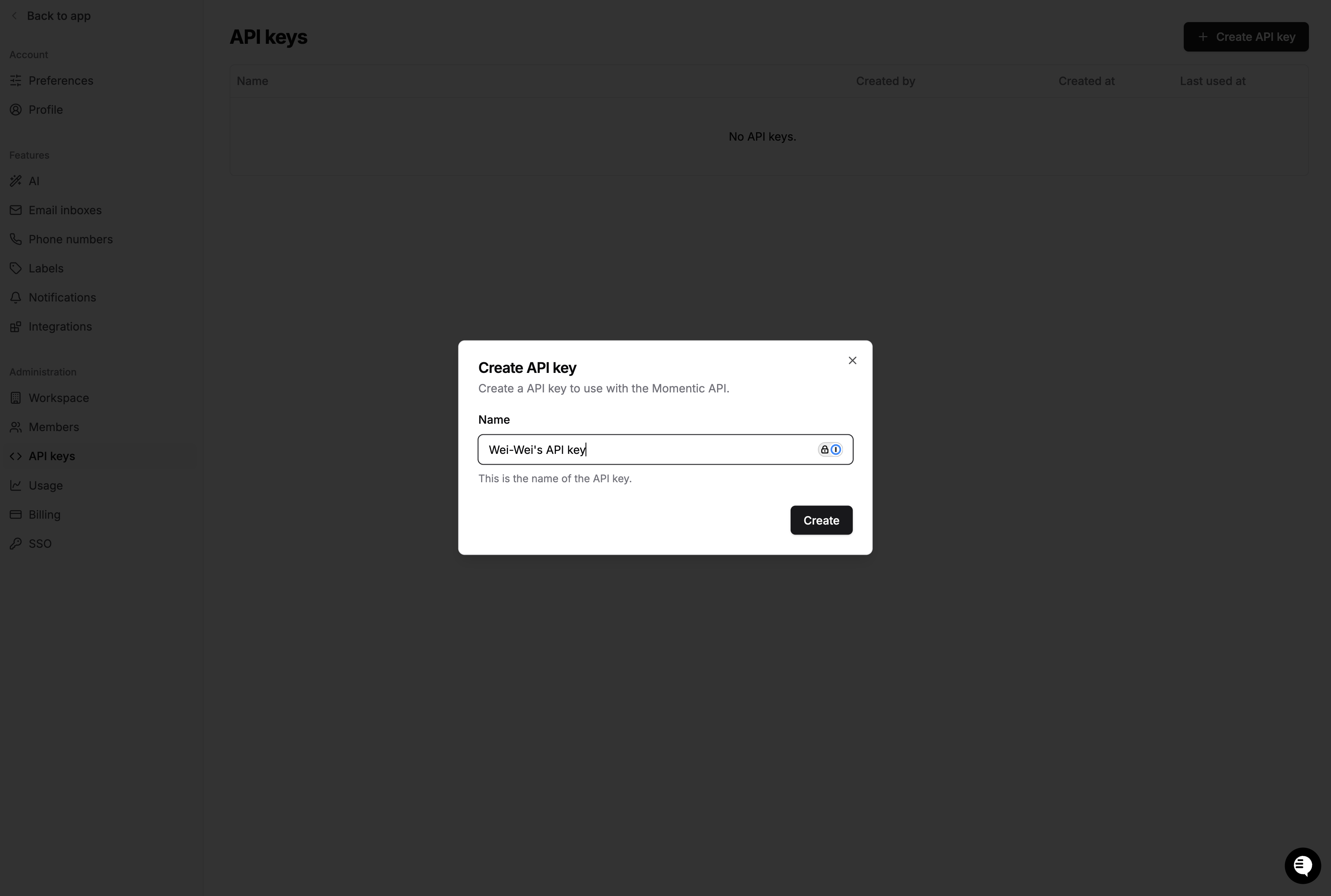
- Create an API key in the Momentic dashboard.
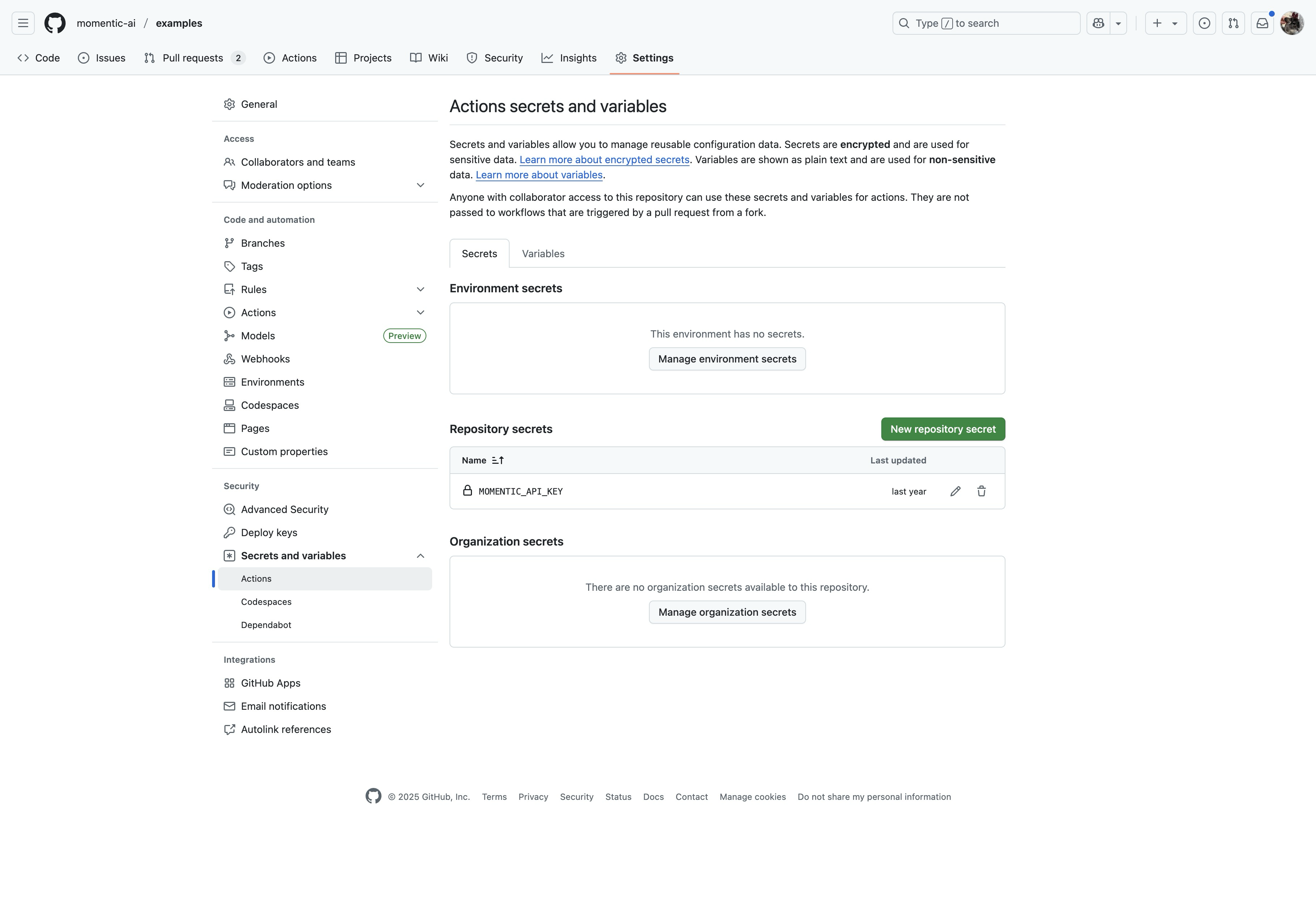
- Go to your GitHub repository settings and click Secrets, then
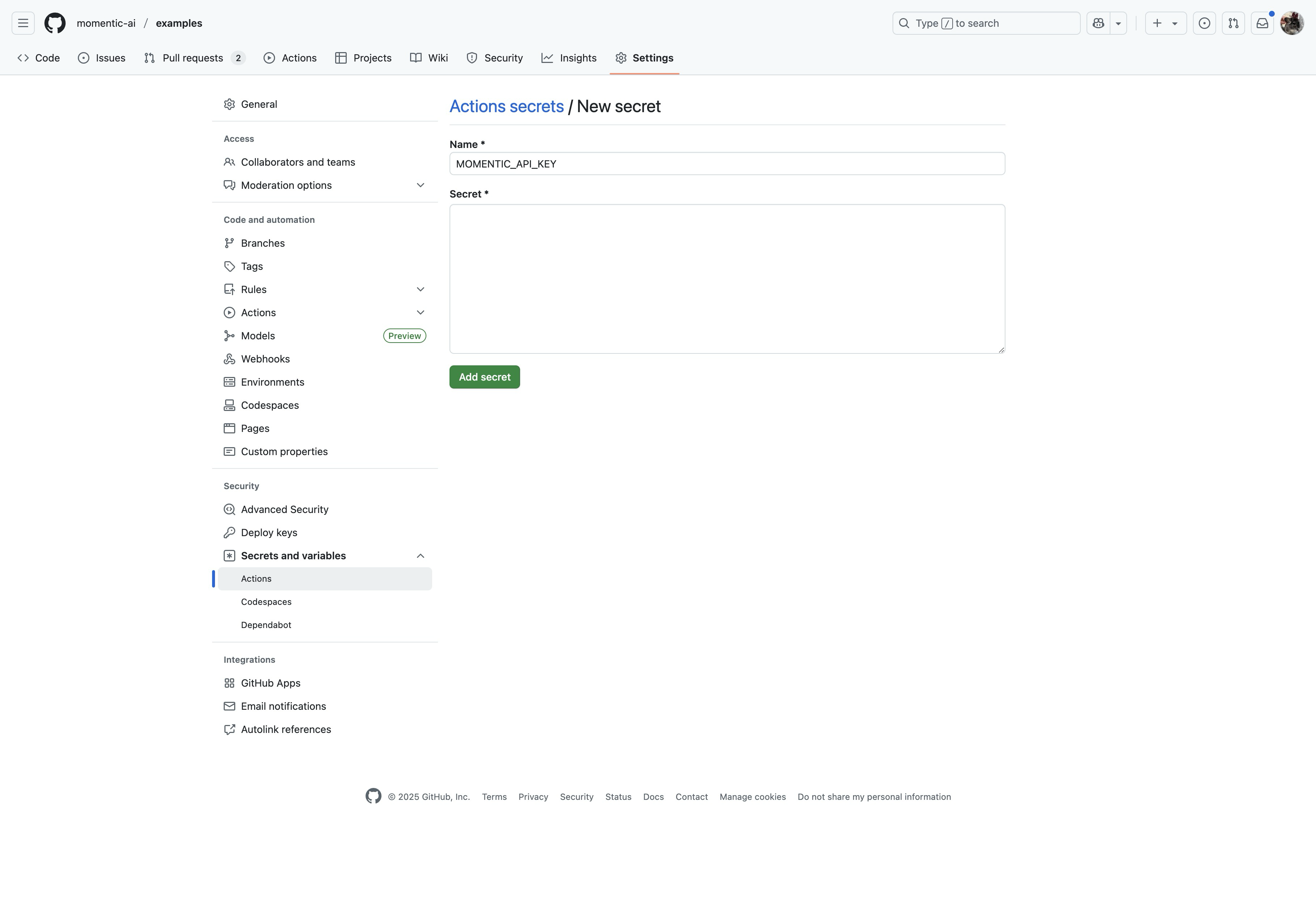
Actions. Create a new secret called
MOMENTIC_API_KEYand enter your API key.
- At the top of your GitHub Actions workflow, provide the following environment
variables to jobs that use
momentic:
ci.yml
Gate a pull request from a coding agent
Pull requests opened by coding agents run through the same configured checks as other pull requests. The job below runs the repository’s YAML tests against their configured target. A counted failure returns a nonzero exit code; make the check required to block merging. Keep the gate small and strict. Label the flows whose failure should block a merge withcritical, run only those on pull_request, and upload the results
so the dashboard includes the failed step and its available artifacts:
.github/workflows/agent-gate.yml
--labels criticallimits the gate to the labeled tests, so the gate runs a smaller set.--reporter stepslogs each step as it starts and finishes. An agent that reads the job log sees the step that failed without opening the dashboard.--upload-resultsattaches the run to the dashboard, where the failed step includes the trace and any recorded video.
Agent gate / Critical flows) to the branch protection’s
required status checks. Until then, the gate is advisory and an agent can merge
over a failure.
With the MCP server installed, you can ask the
agent to run the affected tests locally and inspect failures before pushing. The
CI job then validates the committed version. See
Gate pull requests on critical flows
for the label conventions and the flake policy.
Run mobile tests on a pull request
iOS and Android tests run withmomentic-mobile, one workflow per platform.
Remote simulators and emulators run on Momentic, so the test job needs no macOS
runner and no Xcode. Only the build step needs macOS, because the iOS testing
build is an .app bundle from Xcode. Upload the build once, then run the iOS
tests against it:
.github/workflows/ios.yml
--channel pr --tag $ASSET_TAGinstalls the build this pull request produced, so the tests never run against a stale app. Tags are immutable: a(channel, tag)accepts only the same bytes again. A tag built fromgithub.sha,github.run_id, andgithub.run_attemptis new on every run and every rerun, so a rebuilt app never collides with an earlier upload.tests/ioslimits the run to the iOS tests. Without a path or--includepattern,momentic-mobile runcollects the Android tests too, and they fail because no APK exists under this channel and tag.--parallel AUTOruns the tests at the same time. Each remote test gets its own simulator or emulator, so tests can run independently, subject to organization quotas and runner limits.- An Android build follows the same shape in its own workflow: build the APK on
ubuntu-latest, upload it withassets upload, and runtests/androidwith the same--channeland--tag.
momentic-mobile assets for
channels and tags.
Sharding
If you have a large test set, use sharding to run tests in parallel across CI jobs and shorten total run time. To shard your tests, pass the--shard-index and --shard-count options to the
momentic run command. --shard-index is the index of the current shard
(starting from 1), and --shard-count is the total number of shards.
To collect test results inside a single run group in the Momentic dashboard, add
a separate step after all tests complete to merge and upload results.
ci.yml